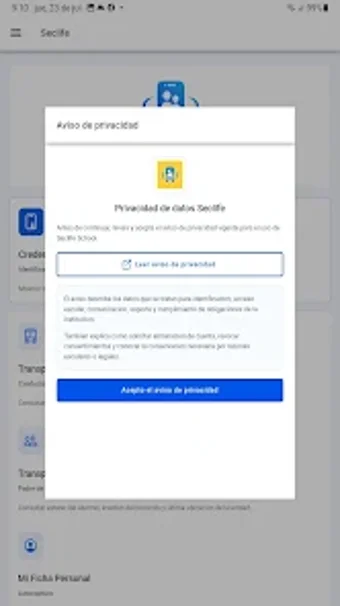
Seclife School: Android app for school access and transport tracking
Seclife School from AF Seclife is a school safety and administration utility that links campus access hardware with family notifications. The app records entry and exit events and distributes real-time alerts while supporting QR and NFC credentials plus GPS transport tracking. It also includes attendance registration and a Family Network for multi-student management, aimed at schools, parents, and administrators who need clearer, device-based oversight of student movements.
How does the app register student movements?
The app pairs with on-site smart reading points that scan digital credentials and create a timestamped record of access. It supports both QR and NFC credentials and lists attendance for specific events, while sending real-time notifications to linked guardians and administrators. For transport, the app integrates GPS-based location reporting so drivers and parents see a moving location trace instead of manual check-ins. This ties physical scans to mobile alerts.
How does it interact with Android permissions and device services?
The app requires standard Android permissions for camera use (QR scanning) and location access (GPS transport tracking), as noted in its requirements. Those permissions enable background or foreground operations tied to specific features; GPS tracking will engage location services during transport sessions and camera access triggers only while scanning. The developer issues regular updates, which suggests active maintenance of permission handling and compatibility with current Android releases.
Is the app safe for handling student and family data?
The app implements digital credentials and an audit trail that notifies guardians and administrators on entry and exit, producing a transparent access record. It offers optional biometric session protection to secure the mobile session when returning to the app. Security depends partly on how the school deploys the modular hardware and manages credential issuance, so institutional configuration and guardian enrollment affect the protection of personal data.
Do schools need technical setup to get full value from the app?
The service is modular and integrates physical hardware, so schools must install reading points and configure the Family Network for multi-student linking to realize the system's benefits. Administrators should prepare a short rollout plan and credential enrollment process for guardians to avoid onboarding delays. For institutions without on-site readers, the app's notification and family-management features still offer partial value, but full access control needs hardware deployment.
Seclife School suits institutions ready to invest in hardware-backed monitoring
Seclife School is a practical option for administrators and parents who need device-linked visibility of student movements; it requires institutional reading-point installation and coordinated guardian enrollment, which is the main operational trade-off. Pilot the service in a single campus zone and confirm credential workflows before scaling. Recommended.